
Steps
- 1
Find what sounds robotic
Read the draft out loud. Mark sentences that all have the same length, openers like "In today's world" and paragraphs that end with a neat moral.
- 2
Run a first rewrite
Paste the text into TextHumanizer and tap Humanize Text. It changes sentence rhythm and word choice while keeping your points.
- 3
Add what only you know
Swap general claims for a real example, a number, a date or something from your class, job or life.
- 4
Check the score and reread
Tap Check for AI. If the score is still high, edit the sentences that sound stiff and check again.
Why AI text sounds like AI
Language models pick the most likely next word over and over. The result is grammatical and smooth, but also predictable. Sentences land at similar lengths, transitions repeat ("Moreover", "Additionally", "In conclusion") and every paragraph wraps itself up.
Detectors measure exactly that predictability. Researchers call the two main signals perplexity, meaning how surprising each word is, and burstiness, meaning how much sentence length and structure vary. People write with more of both. We start a sentence one way and finish it another, use a short line for emphasis and go off on small tangents.
How to make AI writing sound natural
Start with rhythm. Break one long sentence into two, then join two short ones. Read the paragraph again and listen for a pattern. If every sentence follows subject, verb, object, flip a few.
Next, cut the filler that models love. Phrases like "It is important to note that" or "plays a key role in" can usually be deleted outright, and the sentence gets better.
Then add specifics. A model writes "many students struggle with time management." You might write "I had three deadlines in the week of 14 October and started all of them on Sunday night." The second sentence is hard to fake, and it reads as human because it is.
Try it on your own text
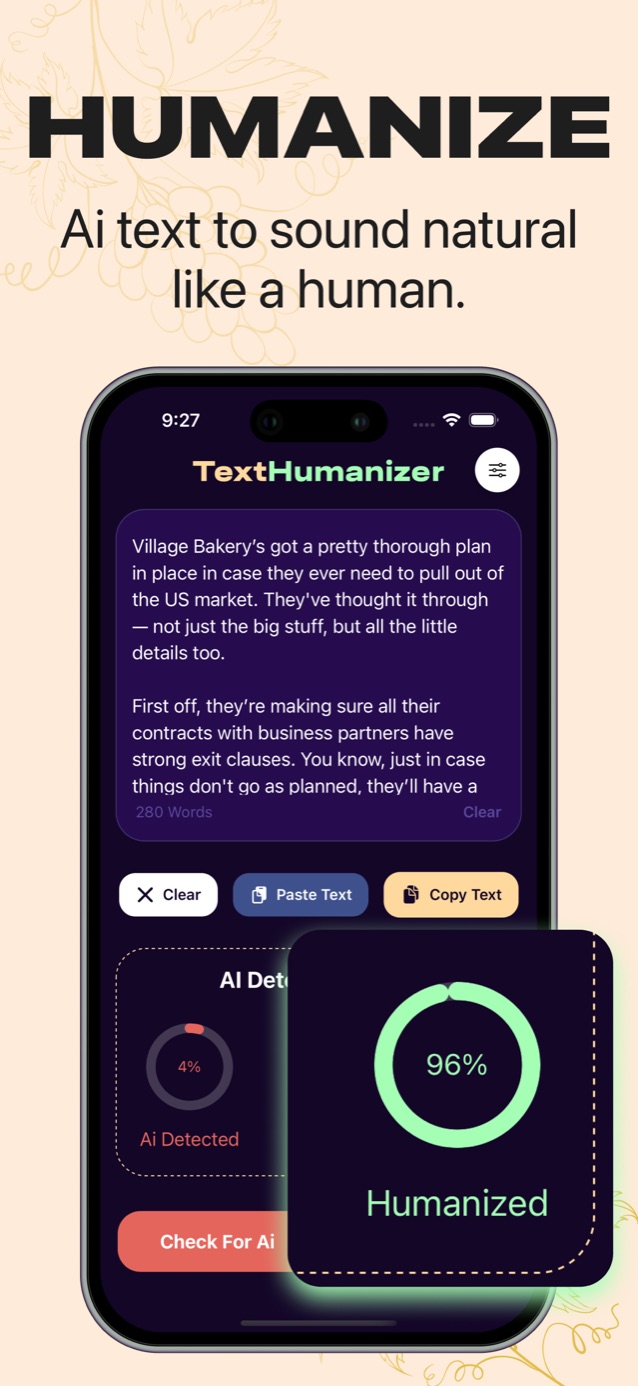
Paste a paragraph and see your AI score before and after.
Humanize it and watch the score change.
Download on the App StoreHumanize AI text with an app
Doing all of that by hand takes time, which is why humanizer tools exist. In TextHumanizer you paste the draft, choose your output language in settings and tap Humanize Text. The rewrite comes back in a few seconds along with a humanized score.
Treat the result as a better second draft, not a finished piece. Read it once for accuracy, because any rewrite can soften a technical term or change a nuance. Then add the details above. The combination of a tool for rhythm and you for content is what produces writing that sounds like a person.
Mistakes to avoid
Don't run text through several tools in a row. Each pass drifts further from what you meant, and you end up with odd synonyms nobody uses.
Don't skip the final read. A humanizer can't know that your teacher wants the term "photosynthesis" rather than "the process plants use to make food."
Check the rules where you are submitting. Many schools and publishers allow AI help for brainstorming or editing but expect you to say so. Humanizing text does not change what the rules say about using it.
Questions
Can you humanize AI text for free?
You can do it by hand for free by varying sentences, cutting stock phrases and adding your own details. Apps like TextHumanizer speed this up and offer a free trial.
Does humanized text keep the original meaning?
A good humanizer keeps your points and changes how they are said. Always reread the output, because technical terms or subtle claims can shift slightly in any rewrite.